
安装方法:首先解压压缩包,鼠标右键选中“vray”,选择“以管理员身份运行”;然后取消勾选“Visit our support site”和“Openthe changelog file after”;最后输入账号和密码即可。 本教程操
安装方法:首先解压压缩包,鼠标右键选中“vray”,选择“以管理员身份运行”;然后取消勾选“Visit our support site”和“Openthe changelog file after”;最后输入账号和密码即可。

本教程操作环境:windows7系统、vray3.6版、Dell G3电脑。
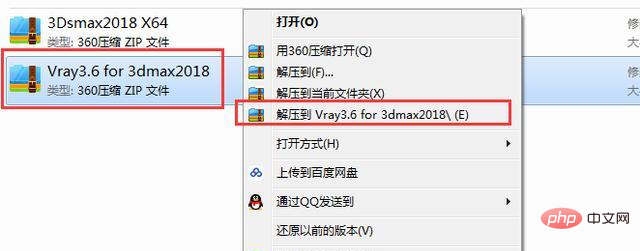
鼠标选中【VRay3.6 for 3DMAX2018】压缩包,右键选择【解压到VRay3.6 for 3DMAX2018】
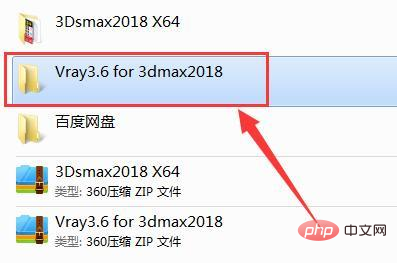
打开刚刚解压出来的【VRay3.6 for 3DMAX2018】文件夹
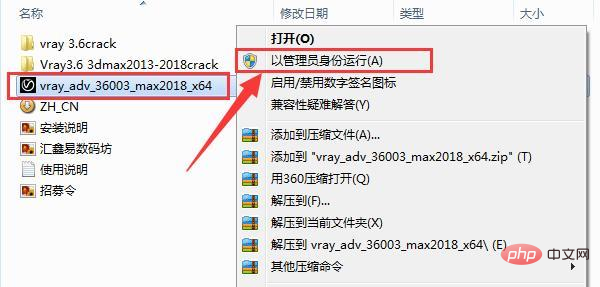
选中【vray_adv_36003_max2018_x64】文件,鼠标右键选择【以管理员身份运行】
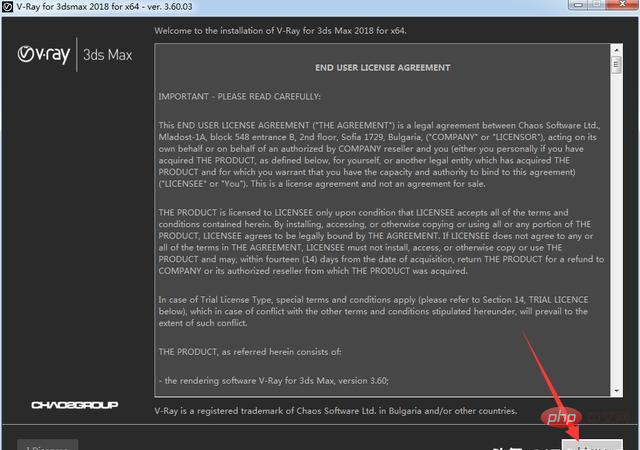
点击【I Agree】
VR会自动识别电脑3DMAX的安装路径,然后点击【Install Now】
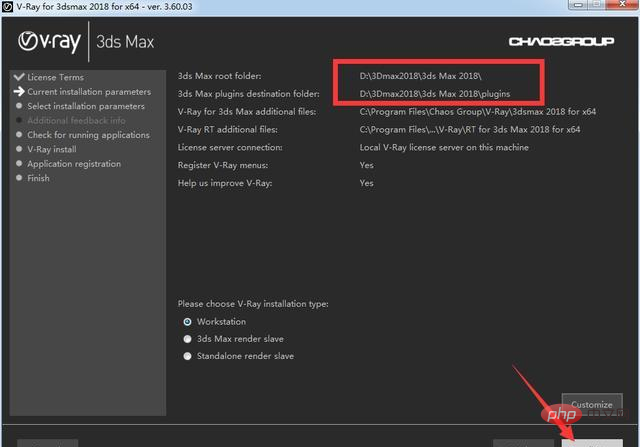
正在安装中,按照提醒选择下一步。到了这一步取消勾选【Visit our support site】和【Openthe changelog file after the installation】,然后点击【Finish】。
![_~56Q6P])M~0QJIV(QQR8CF.jpg](http://img.558idc.com/uploadfile/allimg/qtkfgj-1/1621236882382843.jpg "1621236882382843.jpg")
点击【I Agree】
![V%WFD}R74]81GCN23}GL]89.jpg](http://img.558idc.com/uploadfile/allimg/qtkfgj-1/1621236919674118.jpg "1621236919674118.jpg")
点击【install Now】,接着按照提醒点击下一步,这一步随便输入username和password就行,然后点击finish。
![L)UO7M`5]C_FB@7}A~VM@C9.jpg](http://img.558idc.com/uploadfile/allimg/qtkfgj-1/1621236938561155.jpg "1621236938561155.jpg")
点击【Finish】,然后就安装完成啦。
更多计算机相关知识,请访问常见问题栏目!
以上就是如何安装vray3.6的详细内容,更多请关注自由互联其它相关文章!